Show HN: You are now the product manager of this site
Tasklet

I gave an AI agent powered by Claude Opus 4.5 ↗ access to a terminal and a browser, pointed it at this HN thread ↗, and told it to treat comments as feature requests. It writes the code, tests it, and deploys. Upvotes steer priority. The site ↗ updates automatically.

This is an experiment. I don't know if it'll be interesting or devolve into chaos. Either way, we'll learn something about what happens when a crowd has direct control over a system.

I built this using Tasklet ↗ (disclosure: I work there), but you could build something similar with Langchain, Vercel AI SDK, or any other agent framework.

If you're here from HN: leave a comment and see what happens.

Setup

I started with an empty repo, no template. Just an agent with terminal and browser access. 53 messages over a weekend to get it working. Here's the gist:

Use a new Computer Use instance. Build a website where anyone can request features via a Hacker News thread. The agent should monitor the thread, interpret comments as feature requests, write the code, test it, and ship to production. Prioritize requests by upvotes. The site should update automatically based on what people ask for.
To push code to GitHub, I'll need a Personal Access Token. Go to github.com/settings/tokens, click "Generate new token (classic)", select the "repo" scope...
I set GITHUB_PAT env var
>run_command(cmd="npx create-next-app")
>run_command(cmd="npm run build")
>run_command(cmd="git init && git push")
>run_command(cmd="cat > fetch-hn-comments.sh << EOF...")
Update the UI to be a blank canvas - clean, minimal, neutral background, no gradient fills. Add a status bubble in the corner that shows what the agent is currently working on. You'll need an API route to store and retrieve status - use a simple key-value approach with POST to update and GET to read. Link to the HN post so people know where to leave requests. On click show release notes and include a link to this blog post: michaellatman.com/articles/you-are-the-pm
>run_command(cmd="git checkout -b ui-blank-canvas")
>edit_file(path="app/api/status/route.ts", content="export async function GET() { ... } export async function POST(req) { ... }")
>edit_file(path="app/page.tsx", content="export default function Home() { const [status] = useStatus(); return <div className='min-h-screen bg-white'> ...")
>run_command(cmd="npm run dev")
>web_browser(url="http://localhost:3000")
>web_browser(action="click", coordinate=[1152, 48])
>web_browser(action="screenshot")
... (many more iterations)
>run_command(cmd="git commit -m \"blank canvas + status API\"")
>run_command(cmd="git push origin main")
>run_command(cmd="gh run watch")
Deployed successfully. What's the HN post ID I should monitor?
https://news.ycombinator.com/item?id=46514509
>create_trigger(schedule="*/5 * * * *")

How It Works

The system is pretty simple. I'm using Computer Use ↗ (OpenAI has one too ↗) both for controlling a browser (to monitor the HN thread) as well as from the terminal. Claude Opus 4.5 works really well for this, and Tasklet gives me both a sandbox VM for the headless operations as well as a full Ubuntu machine for the browser which makes this easy. The agent can click, scroll, and do anything a human would. Combined, these tools let it perform all the actions necessary to build and maintain a website. It's slower than a human and misses things visually - the models are still being improved for multi-modal input - but it works remarkably well, especially with this latest generation of models.

I didn't write any code to accomplish this agent loop - just plain English prompts. The diagram below shows generally how it works:

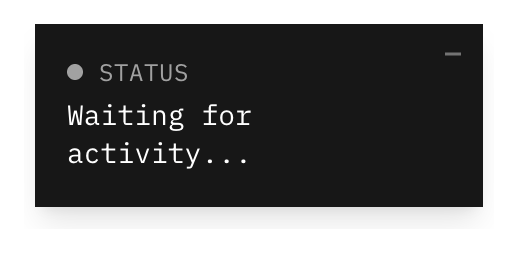
Those status API calls are what drive the floating bubble:
Status bubble

Conclusion

Let's see what happens. I'll share updates if anything interesting comes out of it.

Questions? Happy to answer on HN or reach out on X ↗ or email.